
ATS CV Scan: 7 Formatting Mistakes That Reject a Good CV
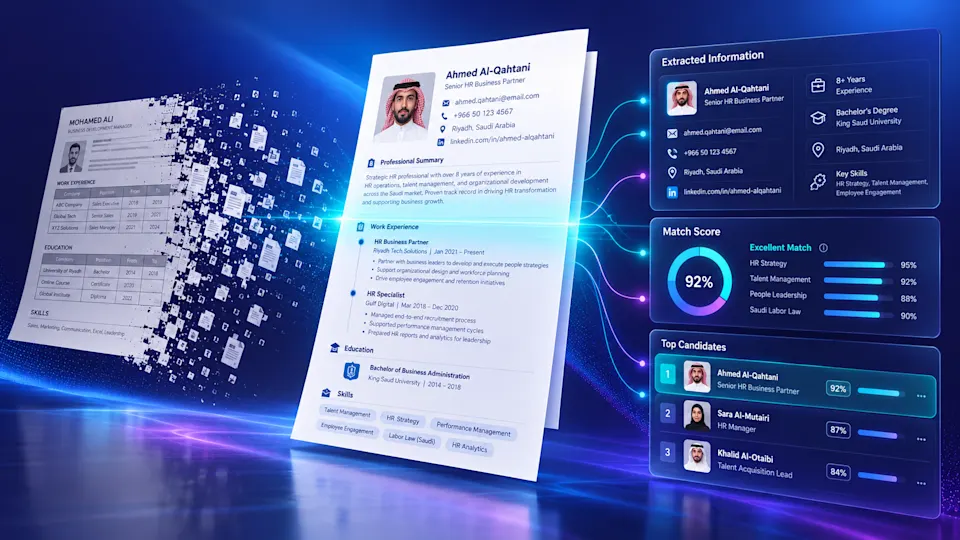
Plenty of qualified candidates get rejected for how their CV is formatted, not for what they've done. An ATS (Applicant Tracking System) is software that collects CVs, converts each one into text and structured fields, then ranks them by how well they match the job description before a recruiter ever looks. If the system can't read your CV because of a table, two columns, or text buried in an image, your details drop out or get scrambled. You land a low match score and get filtered out early.
The good news: the problem is the format, and format is fixable in minutes. This guide explains how an ATS CV scan actually works, walks through the seven formatting mistakes that break it, gives the fix for each, and shows how to test your CV before you apply. The context is Saudi Arabia, where large employers and job platforms lean heavily on automated screening.
Key takeaways
An ATS doesn't read your CV the way your eye does. It converts it into text fields, and complex formatting breaks that conversion, so a strong candidate gets dropped on looks, not ability.
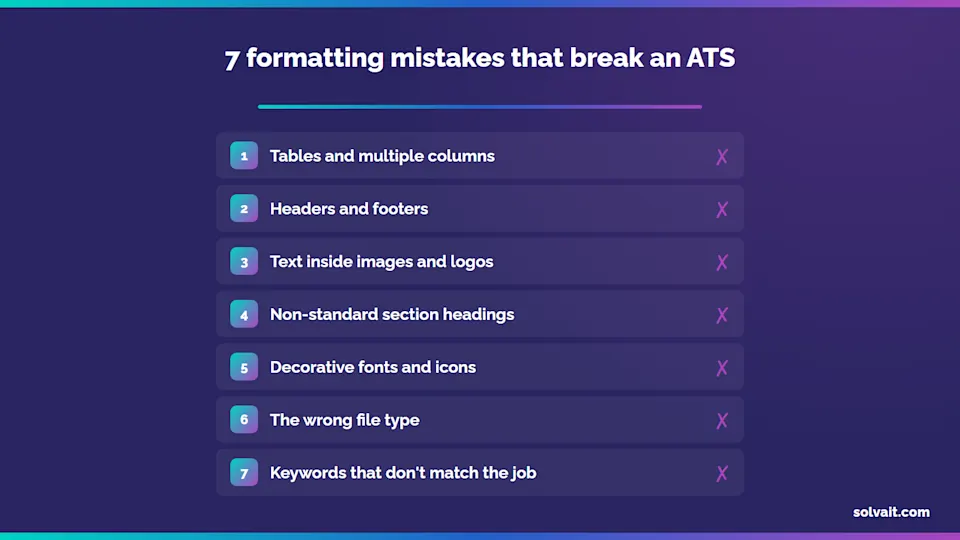
The seven worst mistakes: tables and columns, headers and footers, text inside images, non-standard section headings, decorative fonts and icons, the wrong file type, and keywords that don't match the job description.
Safest format: a text based Word file (.docx) or a text PDF (not scanned), single column, with standard headings like "Work Experience" and "Education".
Your ATS match score rises when your CV's terms match the job description. Write the title, skills, and tools in the same words the posting uses.
Test your CV before applying with a free ATS check, so you see what the parser sees, not what looks good on your screen.
How does an ATS parse your CV, and why do good candidates get filtered out?
An ATS is software that gathers job applications in one place, analyses each CV, and converts its content into structured data: name, contact, experience, education, skills. It then compares that data to the job description and gives every CV a match score that ranks applicants. The recruiter usually starts at the top of the list, not with whoever applied first.
Here's the catch. The engine that turns your CV into fields, called the parser, reads text in a simple logical order. When it hits a complex visual layout, it jumbles the order or drops words. You see a polished CV. The system sees scattered text. That's where a candidate with every qualification gets cut, because the machine couldn't read the qualifications in the first place.
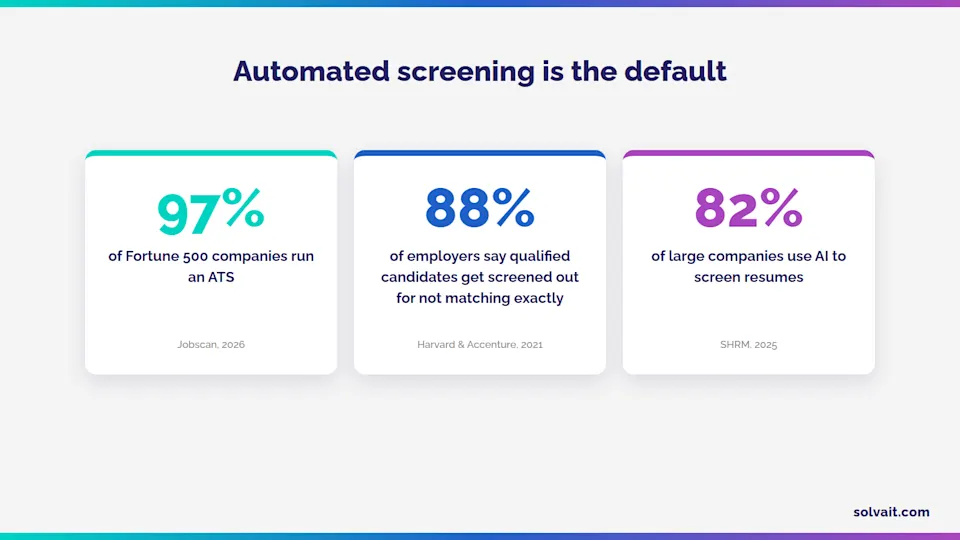
This isn't a rare edge case. In the "Hidden Workers: Untapped Talent" study from Harvard Business School and Accenture (2021), 88% of employers said qualified high-skill candidates get screened out of hiring simply because they don't match the job description exactly, rising to 94% for middle skill roles. And at the top end, Jobscan (2026) found that roughly 97% of Fortune 500 companies run a detectable ATS on their careers pages. Automated screening is the default now, not the exception.
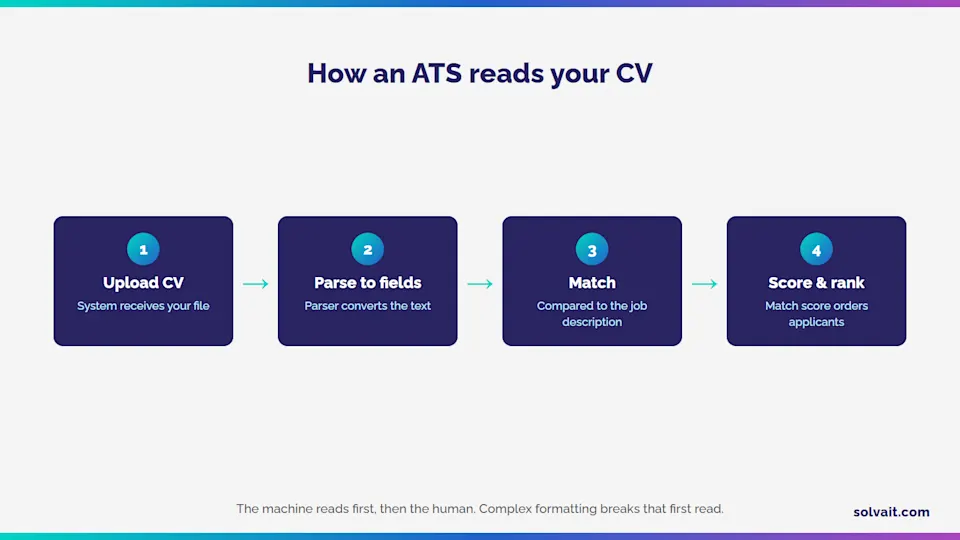
The rule most people miss: your CV passes two readers, a machine first and then a human. The formatting that impresses the human is often exactly what blinds the machine.
What are the 7 formatting mistakes that break an ATS, and how do you fix them?
Most automated rejections trace back to seven recurring mistakes. The table sums them up, then we unpack the worst offenders.
Formatting mistake | Why it breaks the ATS CV parser | The fix |
|---|---|---|
Tables and multiple columns | The parser reads line by line, so it merges table cells and scrambles column content into nonsense. | Use a single column with a top-to bottom flow. One piece of information per line, no tables. |
Headers and footers | Many systems ignore or garble content in the header or footer, so your phone and email vanish if they live there. | Put your name and contact details in the body of the page, at the top, never inside a header. |
Text inside images or logos | The parser reads text only. It can't see words drawn inside an image or an icon. | Write everything as real, selectable text. Never place skills or headings as a picture. |
Non standard section headings | A creative heading like "My Journey" may not register as "Work Experience", so its content goes unclassified. | Use standard headings: Work Experience, Education, Skills, Certifications. |
Decorative fonts and icons | Unusual fonts may not map correctly, and icons that replace words are lost entirely. | Stick to a clean common font like Arial, Calibri, or Times New Roman. Replace icons with words. |
The wrong file type | A scanned PDF is treated as an image with no text, and some older formats won't open in the system at all. | Save as a text based .docx or a selectable text PDF. Follow whatever the posting asks for. |
Keywords that don't match the JD | The system scores your match by comparing your terms to the posting's. Missing them means a low score. | Read the job description and mirror the title, skills, and tools in the same words, honestly, no stuffing. |
Three of these seven do the most damage: tables, text in images, and keyword mismatch. The first two make your CV unreadable in the first place. The third leaves it readable but with a match score too low to reach the shortlist.One honest point. Clean formatting won't manufacture experience you don't have. The goal is to get your real qualifications into the system intact, not to dress up an empty CV. A strong candidate with poor formatting loses the chance; a weak candidate with perfect formatting gets found out in the interview.
How do you check your ATS CV score and fix it before you apply?
Don't wait for a rejection to find the problem. Run this quick pass before you send anything:
Read the job description as a word list: Pull out the title, skills, and tools it asks for, and make sure the ones that genuinely apply to you appear in your CV in the same wording.
Simplify the layout: Single column, standard headings, no tables, no text images, no header block. This is the single most important step.
Test the read manually: Copy your file's content and paste it into a blank document. If the order scrambles or words disappear, the system will see the same mess.
Save in the right format: A text .docx or text PDF, with a clear filename that carries your name and the role.
Scan it with a proper tool: An ATS CV scan shows your match score and flags the missing keywords and the sections the parser couldn't read.
Your ATS score, put simply, is how closely your CV matches the job description from the system's point of view. The more you mirror the right terms honestly, the higher the score and the higher your rank.
This is where a free tool earns its place. Solvait's free ATS CV checker lets you paste your CV and the job description and get a free ATS check that shows what the system actually sees before you apply. To measure how closely one CV fits one specific role, the CV match analyzer shows your match score and the gaps.
Where does Solvait fit in?
If you're a candidate, the free tools in the Solvait HR tools hub help you clear automated screening with confidence, with no sign-up and no data collection.And if you're on the other side of the screen, running the hiring, this is where Solvait Attract comes in. It's Solvait's AI recruitment system: it parses CVs, extracts their data, scores each one against the job description, and ranks applicants with transparency you can defend to a hiring manager. The point isn't to cut people out. It's to surface the genuinely qualified ones. Solvait is Saudi at its core, serves 260+ clients across Saudi Arabia and the Gulf, and builds on Microsoft Dynamics 365 with ISO 27001:2022 security.Try the free ATS CV checker now and see your CV's score before you apply.If you own hiring and want a sharper, fairer scan across hundreds of CVs, book a Solvait demo to see how Solvait Attract works on your own data.
FAQ:
How do I know my resume's ATS score?
Use an ATS CV scan tool where you paste your CV and the job description. It shows your match score, the missing keywords, and any sections the system couldn't read, so you can fix them before applying. Solvait's checker gives you this test for free, with no sign up.
PDF or Word: which file type is better for an ATS?
The safest option is a text-based Word file (.docx) or a text PDF whose words can be selected and copied. Avoid scanned PDFs, which are treated as an image with no readable text. And always follow the file format the job posting asks for.
Do tables and columns hurt a CV in an ATS?
Usually, yes. The parser tracks text line by line, so it merges table cells and column content, and your details can come out scattered or incomplete. Use a single column layout with a simple top-to-bottom flow, one piece of information per line.
Is there a free ATS CV checker to test my CV?
Yes. Solvait offers a free ATS check through its ATS CV checker. It analyses your formatting and your match against the job description, with no sign-up and no data collection. Use it to review your CV before every important application.
Do companies in Saudi Arabia use an ATS?
Yes, widely. Large employers and job platforms in Saudi Arabia rely on automated screening to manage high applicant volumes. So building an ATS-friendly CV is now a practical requirement for reaching the interview stage, not just a cosmetic nicety.
References
Jobscan: 99% of Fortune 500 Companies Use an ATS, 2026 (share of large enterprises running an ATS).
Harvard Business School & Accenture: Hidden Workers: Untapped Talent, 2021 (88% of employers say qualified candidates are screened out for not matching exactly).
SHRM: 2025 Talent Trends: AI in Recruiting, 2025 (large-enterprise adoption of AI resume screening).
LinkedIn: Future of Recruiting, 2025 (AI's effect on recruiting-team productivity).
Solvait: ATS CV Checker and Solvait Attract (first-party product data and client base).
Ready to see Solvait in action?
Book a personalized demo and see how Solvait's AI-powered HR platform can transform the way your team works.
Tags
Related Posts

Free ATS CV Checker by Solvait: How It Works
Check your CV against ATS free with Solvait: an instant score, strengths and weaknesses, and step by step fixes to make it compatible, no signup.
Aug 5, 2026

Bilingual Recruitment in Saudi Arabia, One Team
Run a bilingual Arabic English recruitment process with one team using AI: practical steps, a manual vs unified comparison, and a five stage hiring pipeline.
Aug 25, 2026

How to Run a Performance Appraisal Cycle
A practical guide to the performance appraisal cycle in Saudi Arabia: five sequential stages, how weights add up, and why calibration curbs manager bias.
Oct 6, 2026